I Finally Found a Way to Remember All My Best Ideas
5 minute read / by Sam Daugherty / July 21st, 2025
Share
Picture this: you're in one of those meetings where the ideas are flowing. One idea sparks another, and before you know it, you've solved all the world's problems. But then the call ends, and you realize… You didn't write any of it down. That moment of brilliance? Gone. Just like that. Shit.

Photo by Ryan Snaadt on Unsplash
Actually, the opposite happens to me a lot too. I'll be taking notes, and that obstructs my ability to get fully immersed in the conversation, and I end up without much to take away because I kept having to pause to say, “hold on, I'm just taking a quick note of that.” It's part of why I constantly feel like less of a creative
I can't take notes and fully engage in a conversation at the same time. There, I said it. I'm being vulnerable. You should still hire me anyway.
But, now? I've mastered the art of capturing all my best ideas—without even trying. By mastered, I mean I bought a HiDock P1 audio recorder.
Yes, Recorders Always Existed
Look, I'm fully aware that recording meetings isn't anything new. It's a built-in feature of Google Meet, but it saves the recording to the meeting owner, and that's not always me. Also, I don't need a video of myself biting my nails. I just need that good idea or action plan we discussed.
But here's the bigger catch: I wear headphones in meetings. Using speakers out loud can cause echoes and feedback. Plus, I live in a society, so there's noise all around. A lot of noise. So I prefer the luxury of noise-canceling headphones. Which was the whole problem.
I live in a society, so there's noise all around. A lot of noise.
And you can't record audio with headphones on; you'll just end up with a one-sided conversation of you talking to yourself. The recorder can only pick up the speaker in the room, and not the person in the headphones. Not helpful!
And that's the technological revolution that is the HiDock P1.
How It Works
I'm not getting paid to write this, by the way. I just always feel compelled to share something if it improves my work in a meaningful way. And the P1 has done that.
It uses something called Blue Catch, which acts as a conduit between my headphones and my meeting. Instead of pairing my headphones to my laptop, I pair them to the P1 instead. Now, all of the audio travels through the HiDock first. There's zero delay (from what I can tell), and crisp audio that all gets recorded at the push of a button.
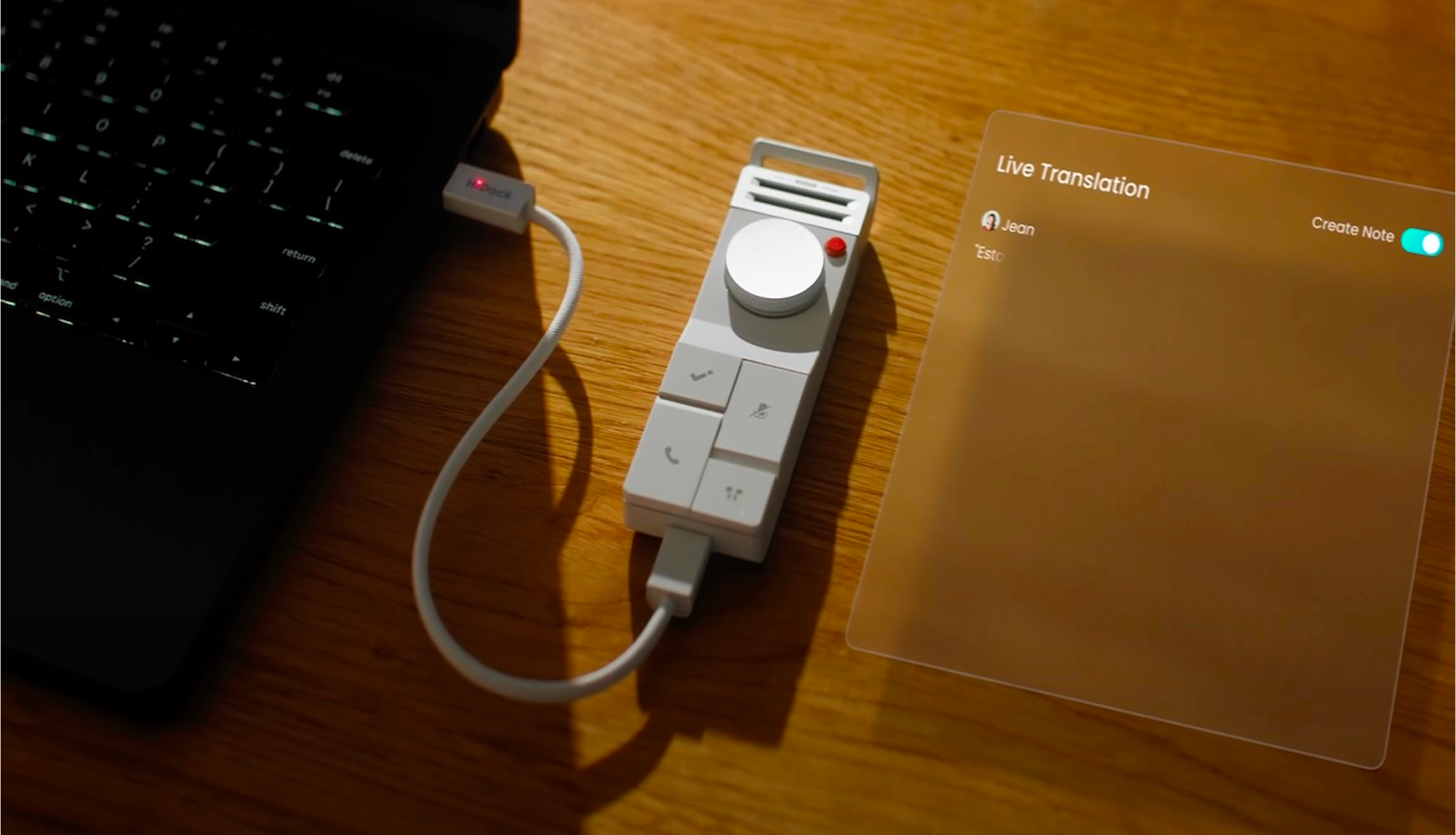
When the meeting is over, the recording uploads automatically to the HiNotes software, where I can either download a transcript or get an AI summary. And that software is free forever when you buy a P1, which feels revolutionary by itself.
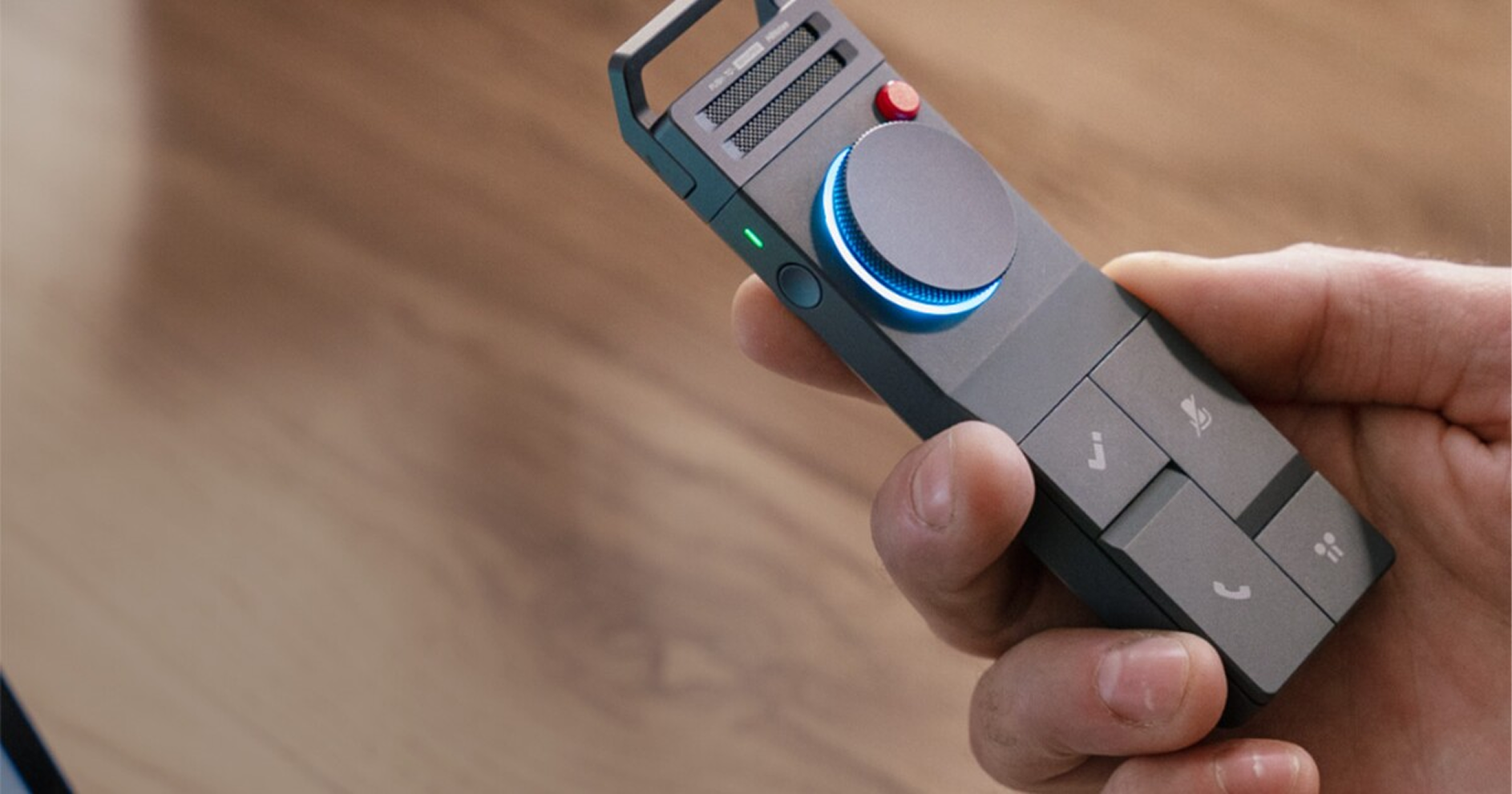
It also includes a call feature that records the whole room, and a whisper feature for quiet voice memos, which is great if you talk to yourself a lot, like I do. The bidirectional background noise reduction works surprisingly well, too, especially for something this compact.
The software has a decent number of features. I can add tags, organize recordings in folders, or just delete them if there was nothing worth saving, or if I didn't want to have confidential recordings on my laptop. And there are templates to help catalog and sort it all.
It's honestly a very well-made product that does exactly what I need it to, with no extra unnecessary fluff.
How I Use It
I've only had it for a week, but it's already proven itself. I was brainstorming a new product and called a couple of friends to talk it through. Every single good idea that came out of that conversation got captured, without me having to think about it.
After the meeting, I simply timestamped the best parts in the recording and used the AI summary to generate a list of to-dos, takeaways, and action items. All of my best ideas, all recorded, labeled, and summarized into next steps right there on my laptop. It truly did feel like magic.
Depending on how comfortable or skilled with AI you are, you can take it even further. I copied the entire AI summary and took it into my personal ChatGPT account to help refine the ideas. We did market research, ran an ROI calculation, and built a product roadmap to jumpstart development, which I'll do in Cursor with the help of Claude. The way technology is improving the way we work is both fascinating and terrifying. But that's a conversation for another day.
Go Buy One
If you want to get one for yourself, visit the HiDock website. If you want an actual review of the product by a more talented creator, Tim Schofield did a review on his YouTube channel that will tell you all about it.
I'll admit, I was incredibly skeptical when I read about it on Kickstarter. I figured I'd try it, probably hate it or find it buggy and unusable, and toss it in a drawer as yet another waste of money. So imagine my surprise when it actually worked the way they said it would. And the look and feel are incredible. The P1 feels substantial and has a nice tactile finish with some heft to it.
I give this product a 10 out of 10, and I've already found unexpected uses for it.